Flame
Description
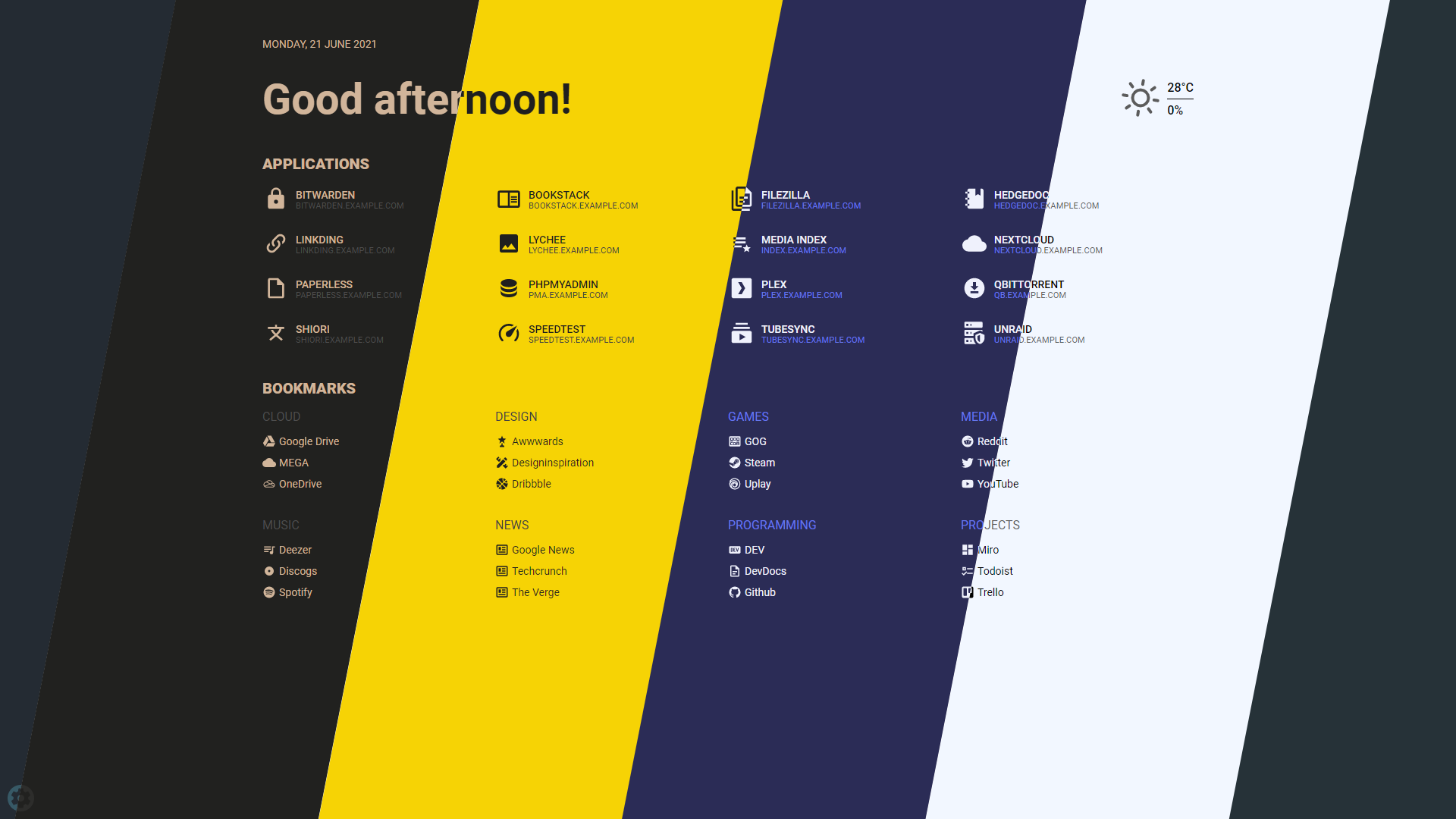
Flame is self-hosted startpage for your server. Its design is inspired (heavily) by SUI (github.com). Flame is very easy to setup and use. With built-in editors, it allows you to setup your very own application hub in no time - no file editing necessary.
Functionality
- 📝 Create, update, delete your applications and bookmarks directly from the app using built-in GUI editors
- 📌 Pin your favourite items to the homescreen for quick and easy access
- 🔍 Integrated search bar with local filtering, 11 web search providers and ability to add your own
- 🔑 Authentication system to protect your settings, apps and bookmarks
- 🔨 Dozens of options to customize Flame interface to your needs, including support for custom CSS, 15 built-in color themes and custom theme builder
- ☀️ Weather widget with current temperature, cloud coverage and animated weather status
- 🐳 Docker integration to automatically pick and add apps based on their labels
Installation
With Docker (recommended)
Docker Hub link (hub.docker.com)
docker pull pawelmalak/flame

# for ARM architecture (e.g. RaspberryPi)
docker pull pawelmalak/flame:multiarch

# installing specific version
docker pull pawelmalak/flame:2.0.0
Docker-Compose
version: '3.6'

services:
  flame:
    image: pawelmalak/flame
    container_name: flame
    volumes:
      - /path/to/host/data:/app/data
      - /var/run/docker.sock:/var/run/docker.sock # optional but required for Docker integration
    ports:
      - 5005:5005
    secrets:
      - password # optional but required for (1)
    environment:
      - PASSWORD=flame_password
      - PASSWORD_FILE=/run/secrets/password # optional but required for (1)
    restart: unless-stopped

# optional but required for Docker secrets (1)
secrets:
  password:
    file: /path/to/secrets/password
Docker Secrets
All environment variables can be overwritten by appending _FILE to the variable value. For example, you can use PASSWORD_FILE to pass through a docker secret instead of PASSWORD. If both PASSWORD and PASSWORD_FILE are set, the docker secret will take precedent.
# ./secrets/flame_password
my_custom_secret_password_123

# ./docker-compose.yml
secrets:
  password:
    file: ./secrets/flame_password
Without Docker
Follow instructions from wiki: Installation without Docker (github.com)
Screenshots
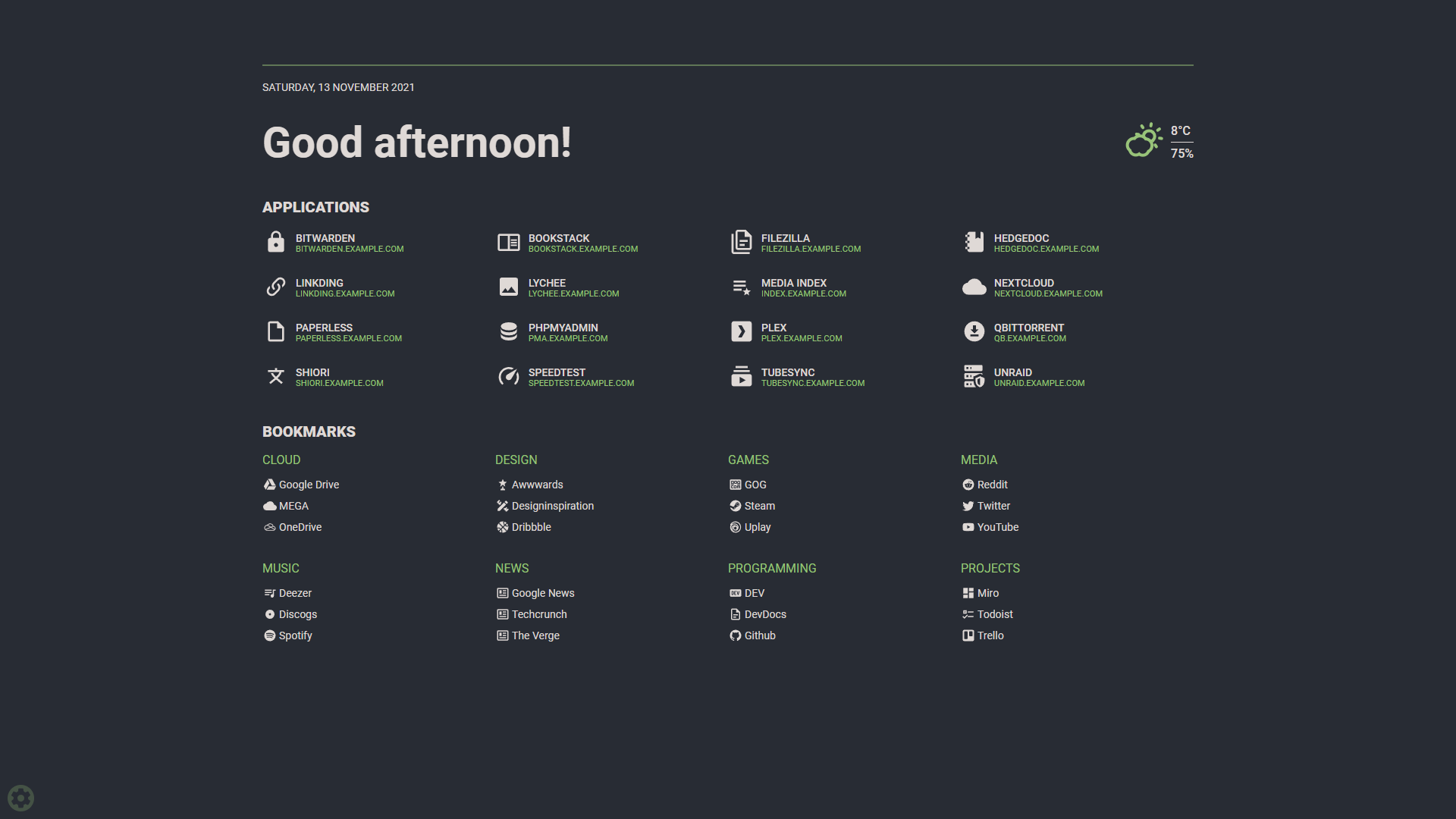
Screenshot (raw.githubusercontent.com)
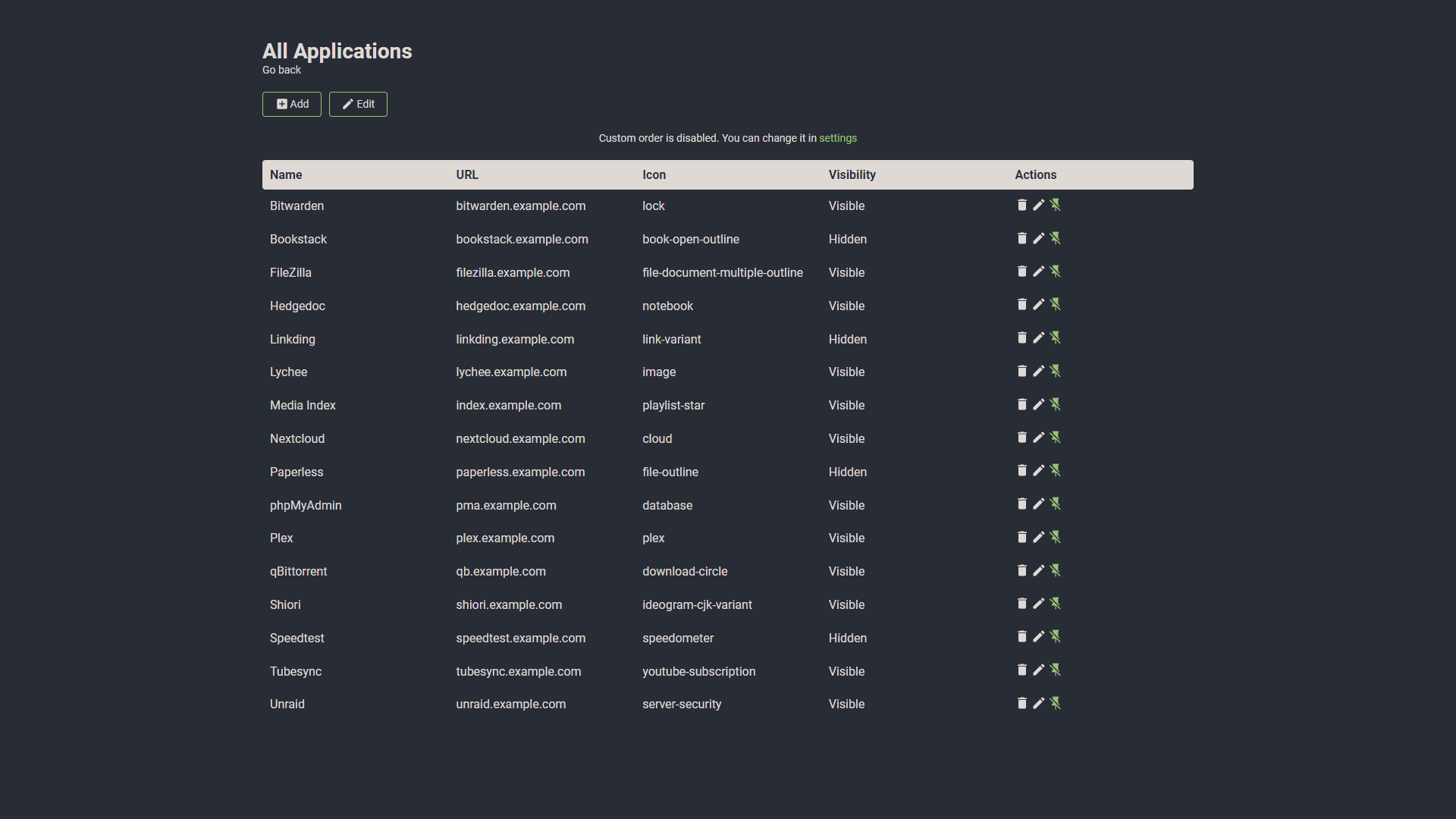
Apps screenshot (raw.githubusercontent.com)
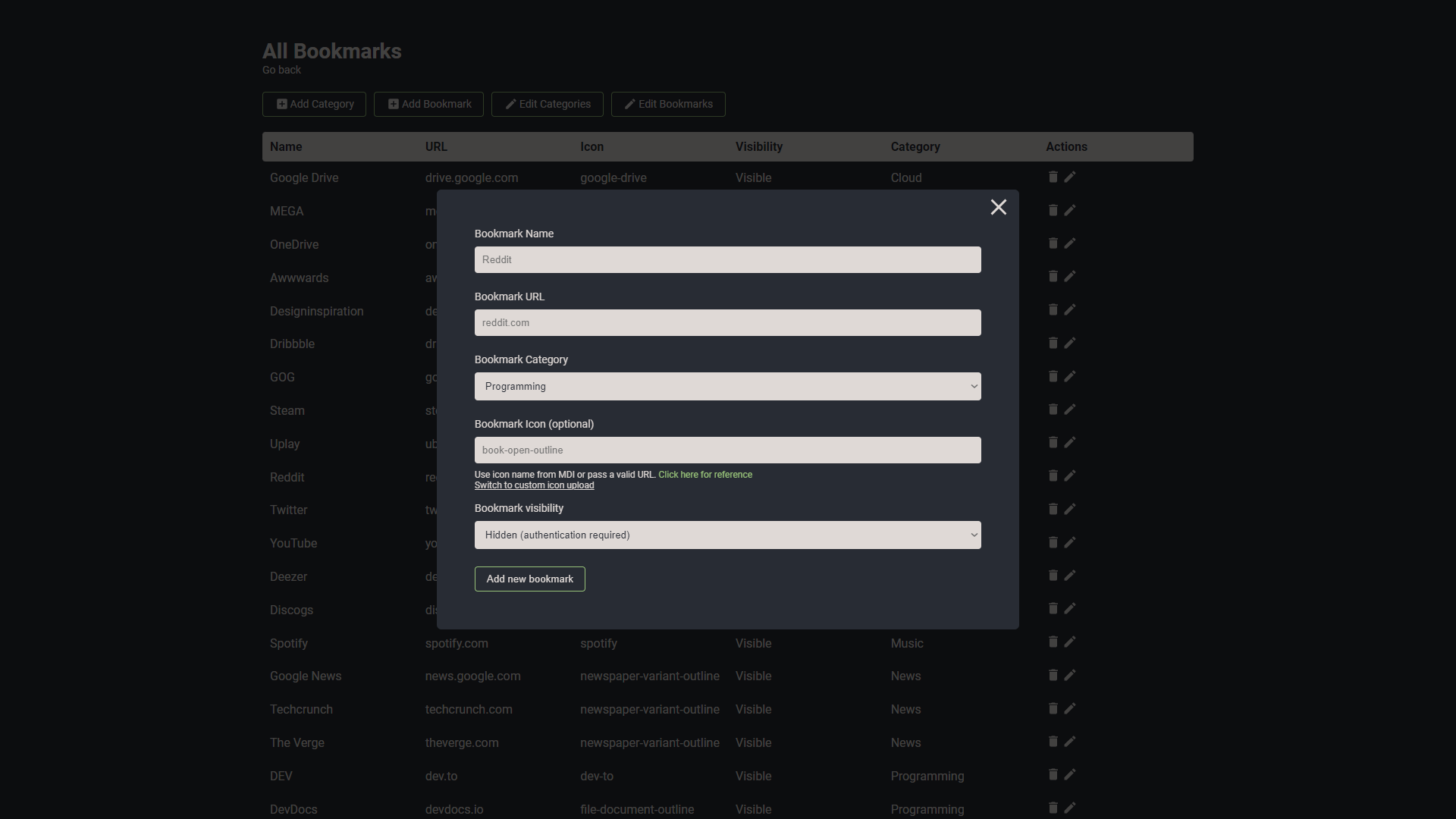
Bookmarks screenshot (raw.githubusercontent.com)
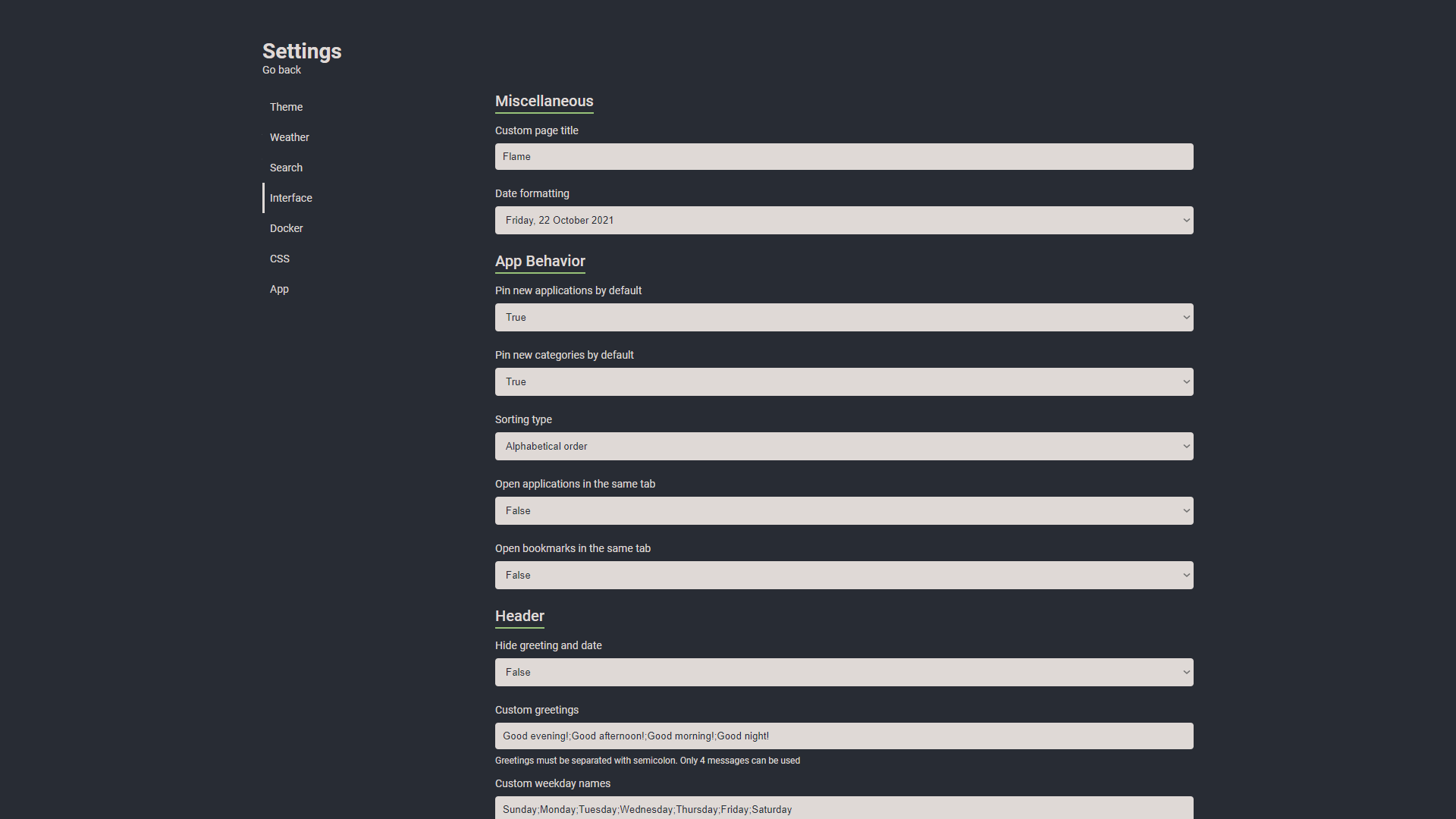
Settings screenshot (raw.githubusercontent.com)
Themes screenshot (raw.githubusercontent.com)
Looks good on mobile too.
See More at the github page (github.com)
# Flame
## Description
Flame is self-hosted startpage for your server. Its design is inspired (heavily) by [SUI](https://github.com/jeroenpardon/sui). Flame is very easy to setup and use. With built-in editors, it allows you to setup your very own application hub in no time - no file editing necessary.
## Functionality
- 📝 Create, update, delete your applications and bookmarks directly from the app using built-in GUI editors
- 📌 Pin your favourite items to the homescreen for quick and easy access
- 🔍 Integrated search bar with local filtering, 11 web search providers and ability to add your own
- 🔑 Authentication system to protect your settings, apps and bookmarks
- 🔨 Dozens of options to customize Flame interface to your needs, including support for custom CSS, 15 built-in color themes and custom theme builder
- ☀️ Weather widget with current temperature, cloud coverage and animated weather status
- 🐳 Docker integration to automatically pick and add apps based on their labels
## Installation
### With Docker (recommended)
[Docker Hub link](https://hub.docker.com/r/pawelmalak/flame)
```sh
docker pull pawelmalak/flame
# for ARM architecture (e.g. RaspberryPi)
docker pull pawelmalak/flame:multiarch
# installing specific version
docker pull pawelmalak/flame:2.0.0
```
#### Docker-Compose
```yaml
version: '3.6'
services:
flame:
image: pawelmalak/flame
container_name: flame
volumes:
- /path/to/host/data:/app/data
- /var/run/docker.sock:/var/run/docker.sock # optional but required for Docker integration
ports:
- 5005:5005
secrets:
- password # optional but required for (1)
environment:
- PASSWORD=flame_password
- PASSWORD_FILE=/run/secrets/password # optional but required for (1)
restart: unless-stopped
# optional but required for Docker secrets (1)
secrets:
password:
file: /path/to/secrets/password
```
#### Docker Secrets
All environment variables can be overwritten by appending `_FILE` to the variable value. For example, you can use `PASSWORD_FILE` to pass through a docker secret instead of `PASSWORD`. If both `PASSWORD` and `PASSWORD_FILE` are set, the docker secret will take precedent.
```bash
# ./secrets/flame_password
my_custom_secret_password_123
# ./docker-compose.yml
secrets:
password:
file: ./secrets/flame_password
```
### Without Docker
Follow instructions from wiki: [Installation without Docker](https://github.com/pawelmalak/flame/wiki/Installation-without-docker)
## Screenshots
[Screenshot](https://raw.githubusercontent.com/pawelmalak/flame/master/.github/home.png)
[Apps screenshot](https://raw.githubusercontent.com/pawelmalak/flame/master/.github/apps.png)
[Bookmarks screenshot](https://raw.githubusercontent.com/pawelmalak/flame/master/.github/bookmarks.png)
[Settings screenshot](https://raw.githubusercontent.com/pawelmalak/flame/master/.github/settings.png)
[Themes screenshot](https://raw.githubusercontent.com/pawelmalak/flame/master/.github/themes.png)
Looks good on mobile too.
See More at the [github page](https://github.com/pawelmalak/flame)


(post is archived)